Showing posts with label Prince Zoo. Show all posts

Monday, January 17, 2011

Playing catch up.

You can see why I haven’t been posting daily these past few days in the first picture below, but if you want more details click here.

TaS11211a
TaS11311a
TaS11411a
TaS11511a

(Pictures – the hubs truck after his wreck, Prince Zoo holding up his AB Honor Roll Ribbon from his report card, Princess Pudding in the van while we did tons of running around with the hubs to handle stuff dealing with the wreck, Prince Wild’s cupcakes from his birthday party)

As for the contests, last week’s winners will be up later today or early tomorrow as well as the next contest.

Tuesday, January 11, 2011

Day 11

Ohhh, so glad today is over. As in totally glad. Prince Wild is sick and since it’s very rare for him to get sick he’s completely miserable… and BORED. And driving me nuts trying to keep him entertained. Very much to my delight Prince Zoo took over entertaining his brother for a while tonight by reading him “Green Eggs and Ham” … with very very little help.

SOOC, Prince Zoo reading, January 11, 2011

Editing – Layer Adjustments (Brightness/Contrast, Levels, Color Balance) and spot sharpening

Special Edit – On the Spot Studio’s Bad Black and White 13 action from her Bad Black and White action set.

(click images to see the full size images)

Also, don’t forget to get your entry in for the Adorable You Photo Contest!

Monday, January 10, 2011

Days 7, 8, and 9

:sigh: I never thought how difficult it would be to keep up with a daily blog over the weekends… especially when one of those days was my own birthday. lol The 7th was my 24th birthday. For some reason 24 sounds much more grown up to me than 23 – yeah stupid logic I know. lol The day for the 7th is my birthday present from the hubs… yeah I’m an uber-dork. There aren’t originals to go with the edits because a. I’m lazy and b. as soon as I finish this post I’m typing up a step-by-step post to go with today’s (the 10th) picture. :o) So, enjoy.

TaS1711a
TaS1811a
TaS1911a

Also, don’t forget to get your entry in for the Adorable You Photo Contest!

Tuesday, January 4, 2011

Day 4

Easy-peasy.

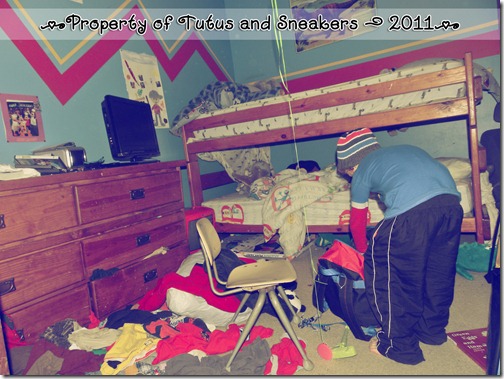
I had some ADORABLE shots of Princess Pudding terrorizing Prince Wild I was planning to use, then, lol – sorry know I shouldn’t laugh before I get to the punch line but seriously… lol, Prince Zoo threw the most Bob-Awful fit because I would not let him watch a movie since he refused to help clean up. His fit consisted of slamming doors, yelling that no one loves him, and ((lol – my favorite)) that he is running away to join the army. lol. Seriously? You don’t get your way so you want to go join the ARMY??? lol. Anyhoos, I got a good sneaky picture of him in his room “packing.” Today’s photo has absolutely no editing except the action I applied. No step-by-step or even generals to give you on this one.

SOOC – Prince Zoo, January 4, 2011
TaS1411a

Edit – On The Spot Studio’s Sweet Vintage from her Sweet and Low action set.
TaS1411b

Click them for the full size, especially the edit. The shrinkage to fit the blog leaves a lot to be desired.

Be sure to check back Friday for info on my next contest!!! The next four contests will end with a prize that a kiddo can wear. ;o)

Monday, December 20, 2010

Preview Day 3 (an entry)

OK – so I’m editing this photo today for an entry to the Paper Mama’s Winter Photo Contest.
The Paper Mama
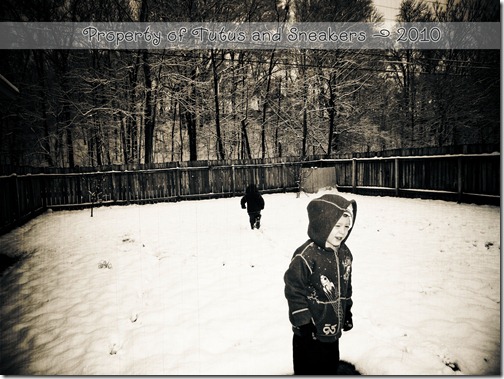
This photo is actually from February 2010, but a. I live in the South, have some pity on me, we don’t get it looking like winter too often outside and b. no SOOC shot, I was computerless at that point so I’m lucky to even have this version of the photo – and it has to be one of my favorite snow shots of the boyos ever.
Original I have – Prince Zoo & Prince Wild February 2010 (last photo is entry)
TaS122010a
Editing: apply texture at 40% opacity and blending mode of Color Burn, add gradient layer of 100% black at edges to 0% black at center, duplicate original photo and add a lens blur of 30 radius then clip into gradient then set gradient to Color Burn at 50%. (click to get full effect)
TaS122010b


Oh and back to add my bokeh photo for the Paper Heart Camera Bokeh Photos. :o) Click for full effect – and yeah it leads to my other Flickr account I’m just too lazy to upload it again. lol
DSCN9200
Don’t forget to come and enter the Christmas Time photo contest for your chance to win a $20 gift certificate!